The Sale Catalogue tool is a free service available to Australian Wagyu Association (AWA) members, allowing them to advertise registered animals, semen, and embryos for sale through the public AWA database.
Sale Catalogues are publicly accessible, allowing both members and non-members to view sale listings and animal information.
Using the Sale Catalogue tool provides members with an effective way to promote their sale offerings to the wider Wagyu community, increase visibility among potential buyers, and expand their market reach. Buyers can easily identify animals for sale, access detailed animal information, and view the latest Wagyu Breeding Values (WBVs) as they are updated weekly.
Preparing Your Sale Catalogue
To get the best results from your Sale Catalogue, it is recommended that members prepare their sale information before creating a catalogue.
Before listing animals for sale, consider the following:
- Ensure all animals are correctly registered with the AWA and ownership details are up to date.
- Review animal names and identification details for accuracy before publishing.
- Upload clear, high-quality photos that accurately represent the animals being offered.
- Where available, include videos to provide buyers with additional information and improve engagement.
- Ensure any relevant pregnancy information, including PTIC (Pregnancy Tested In-Calf) details, is available and clearly communicated.
- Confirm all animal records, pedigrees, and genetic condition information are accurate and current.
- Ensure adequate time is allowed for DNA testing and results processing prior to the sale, including genetic condition testing and other DNA-based services.
- If selling a cow with a calf at foot, the calf should be registered by the breeder before the sale. Calves must be registered under the prefix in which they were born and by the member who owned the dam at the time of birth (then transferred as requested).
- Have any sale descriptions, vendor comments, and selling agency information prepared before creating the catalogue.
Taking the time to prepare this information in advance will help create a more informative catalogue, improve the buyer experience, and present your sale professionally.
Sale Information
Sale Catalogues display information entered by the selling member, including:
- Member ID
- Location
- Sale date and time
- Selling agency information and contact details
- Sale description or information blurb
Animal Information
Each listed animal may display the following information:
- Animal Association ID
- Sex
- Pedigree Information
- Breeder Feeder Index (BFI)
- Genetic condition status and probabilities
- Animal description or member comments (optional)
- Photos (optional)
- Videos (optional)
Sale Catalogues Search Features
Viewing Sale Catalogues:
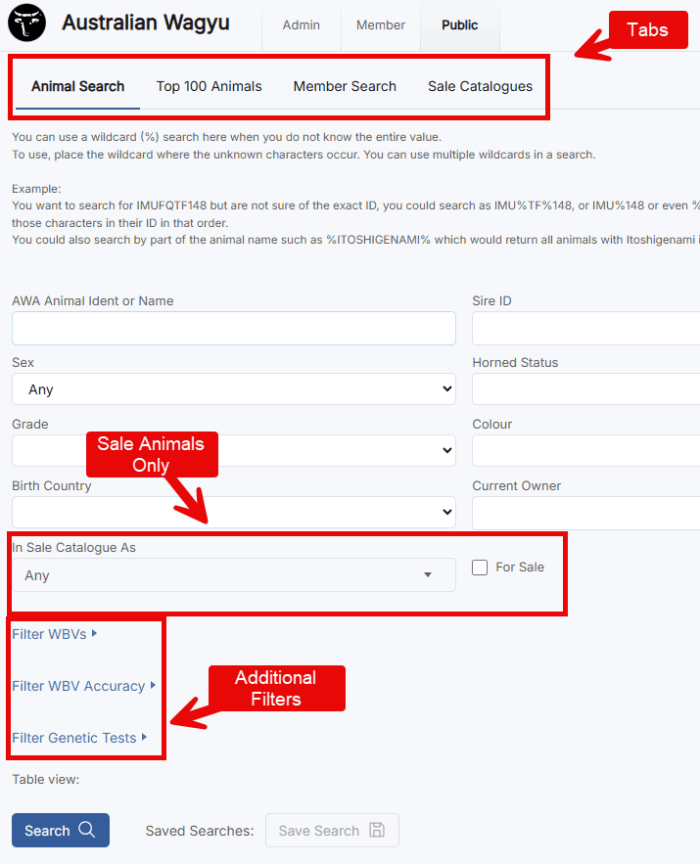
Within the public database, select the Sale Catalogues tab to view current sale listings. Users can switch between List and Grid views using the buttons located to the right of the search field.
When viewing a specific catalogue, animal listings can be displayed in the following formats:
- Overview – Displays basic animal information, including photos where available.
- WBV Table – Allows users to compare animals side-by-side using their WBVs.
- Sire WBV Table – Displays registered progeny performance information, assisting users to evaluate sire performance.
Viewing Advanced Animal Details:
By selecting an Animal ID within a catalogue, users can access further animal information, including (but not limited to):
- WBVs – updated weekly.
- Selection indexes
- Three-generation pedigree information
- Inbreeding percentages
- Genomic diversity scores
- Bloodline prefecture
The animal details page can be customised using the Edit Layout button, allowing users to tailor the information displayed to their preferences.
Searching for Animals Across Sale Catalogues:
The Animal Search function within the public database allows users to search for animals across multiple sale catalogues using advanced search criteria.
Users can filter animals based on:
- WBVs
- Accuracy percentages
- Genetic test results
- Sex
- Horn Status
- Other available search criteria
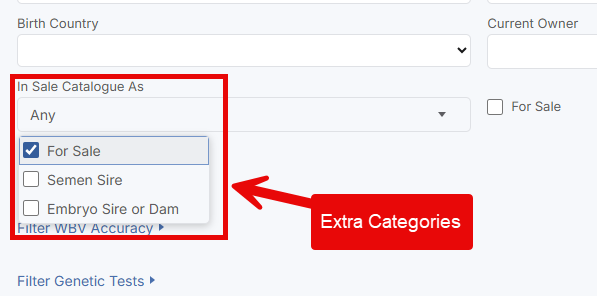
By selecting the Animals for Sale option, users can quickly identify sale animals that meet their breeding, genetic, or production objectives, making it easier to locate suitable animals available for purchase.