Introduction to the AWA Registration forms template
Helical is the new AWA database that has replaced the ILR2, I4 and Portal platforms. As we progress through the migration, we will be opening new modules for members to be able to submit data through to the MSO team.
Over the coming months we will continue to work on all modules to enable them to be as user friendly and easy to use as possible. Please note that as we update modules, we will also work to update any related factsheets to reflect these changes as soon as we can.
Through Helical, there are now several options to submit animal registrations. These include the Pre-filled registration form, the registration form available to download from the AWA website and also a Herd recording system extract. In this how to guide we will be covering the registration form that is available to download from the AWA website.
Within the registration module in Helical, members will be able to submit their animal registrations directly into the database for the MSO team to approve and invoicing will be completed directly from Helical and Xero. Registration forms can be imported directly into Helical (please refer to the “Importing Registration forms into Helical” factsheet), or can be emailed to the MSO team at [email protected]
Accessing and downloading the Registration form template from the AWA Website
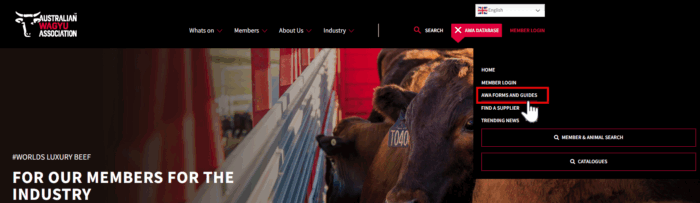
Navigate to the AWA website (www.wagyu.org.au). A quick link to the Forms and Guides page can be found under the “AWA database” drop down menu.
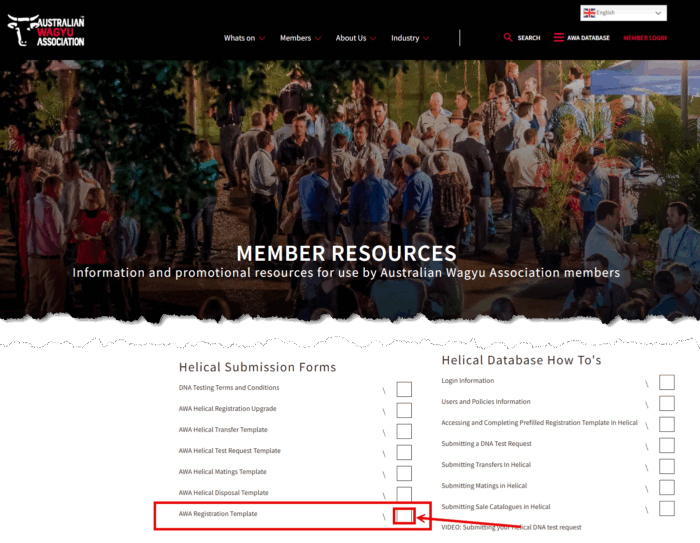
Navigate to the “AWA Registration template” and click on the square to start the download.
Once the form has downloaded, when you open it, it should look as per below.
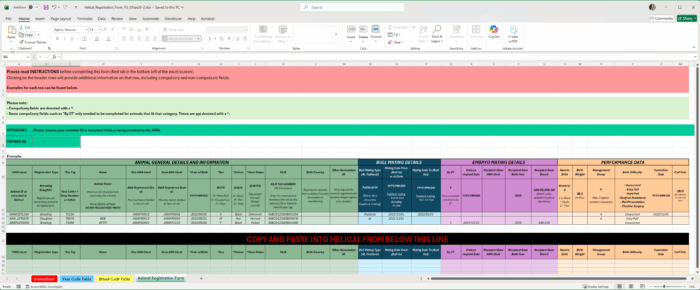
To assist you with completing this registration form, there are example rows of data available at the top of the spreadsheet, and also a detailed instruction tab with example data can be found in red at the bottom of the excel file.
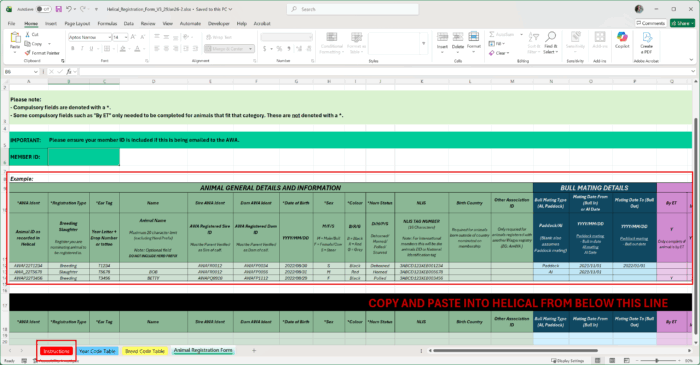
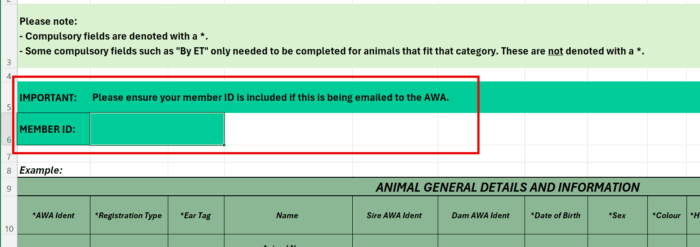
NOTE: Compulsory fields are marked with a “*” – these are also labelled in the instructions.
Once you have completed your data in the spreadsheet from Row 19 onwards (please don’t add data to the example rows as this will not be loaded) there are 2 options to submit your registration request.

Copy your animal registration information directly from Row 18 onwards and paste directly into the Helical “Animal Registration – Registration form and pre-filled rego template” import as per below image. Please refer to the “Importing the Registration form template into Helical” for further instructions on how to do this yourself.
Save and email the registration form to the AWA team at [email protected]
If you chose to save and email this form to the team, please ensure that you have completed your Member ID at the top of the form to avoid processing delays.