GO TO DNA Test Request Tracking
GO TO Performance Data Imports
GO TO Public Database – CSV Downloads
GO TO Bulk Pedigree Certificate Downloads
GO TO Task Notification Emails
GO TO Animal Transfers and DNA Sample Ownership
GO TO Mating Planner Enhancements
GO TO Matings Module
DNA Test Request Tracking
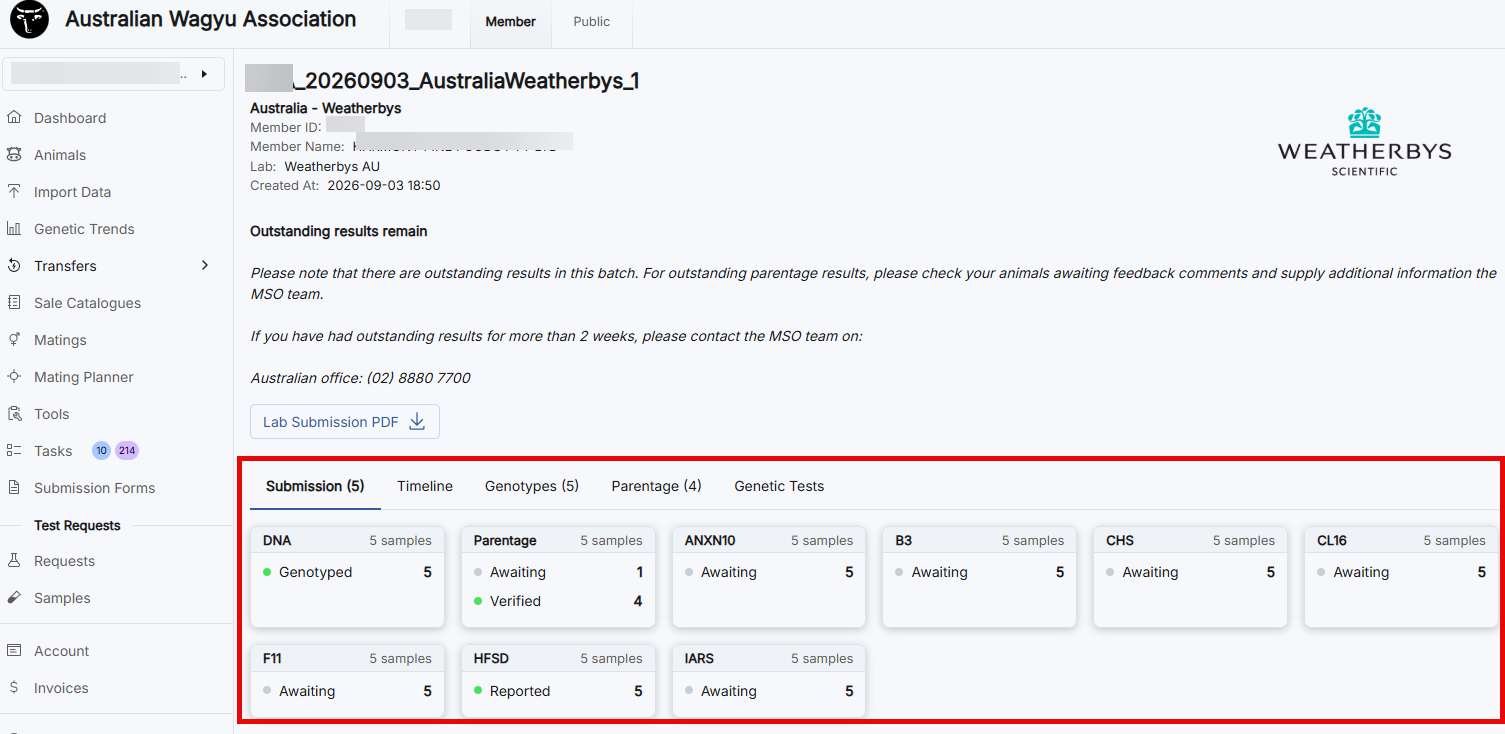
Helical now provides more detailed tracking for DNA test requests, allowing members to easily monitor the progress of their submissions. Enhanced status reporting shows what has been completed, what is awaiting processing, and any actions that may still be required.
The tracking will be displayed once the selected test request has been opened.
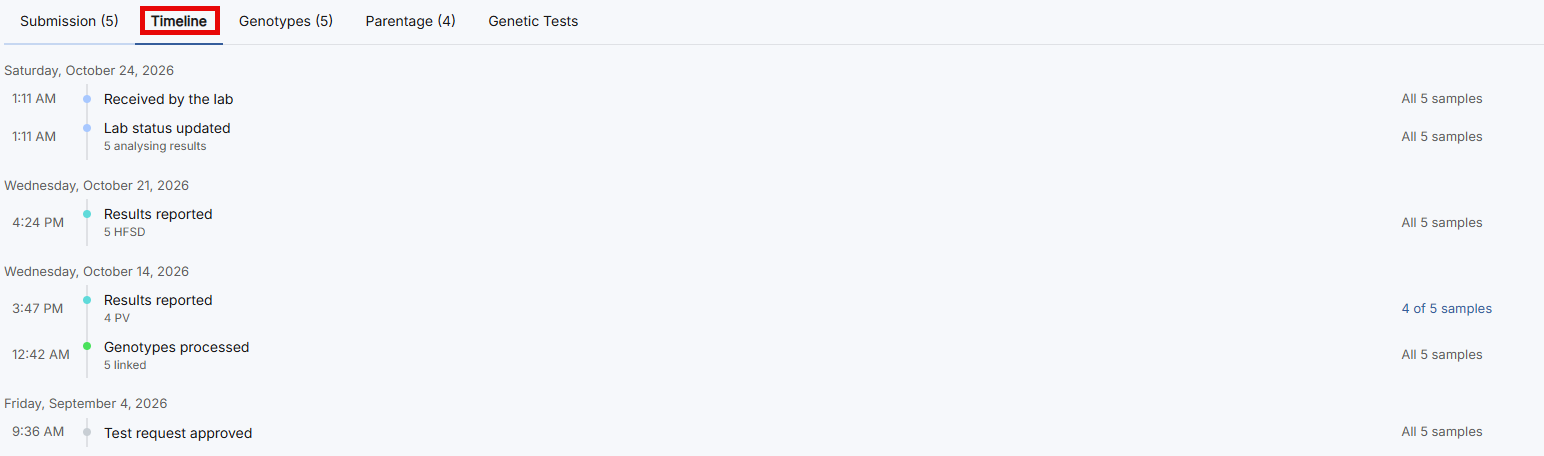
Move to the ‘Timeline’ tab to see when results were reported, as seen in the image below.
Performance Data Imports
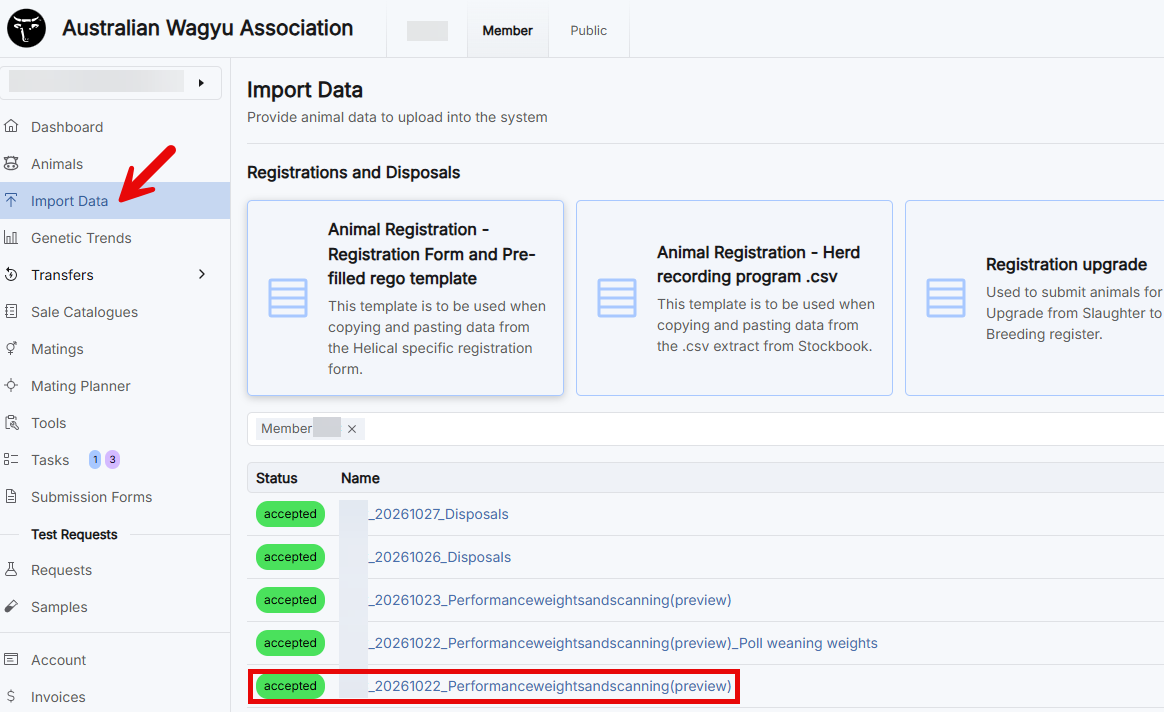
Performance Data Imports have been enhanced to provide greater visibility of submitted records. Once your performance data has been reviewed and approved by a Member Services Officer (MSO), the import status will change to ‘Accepted’, allowing you to review the submitted data in greater detail.
Reviewing the data
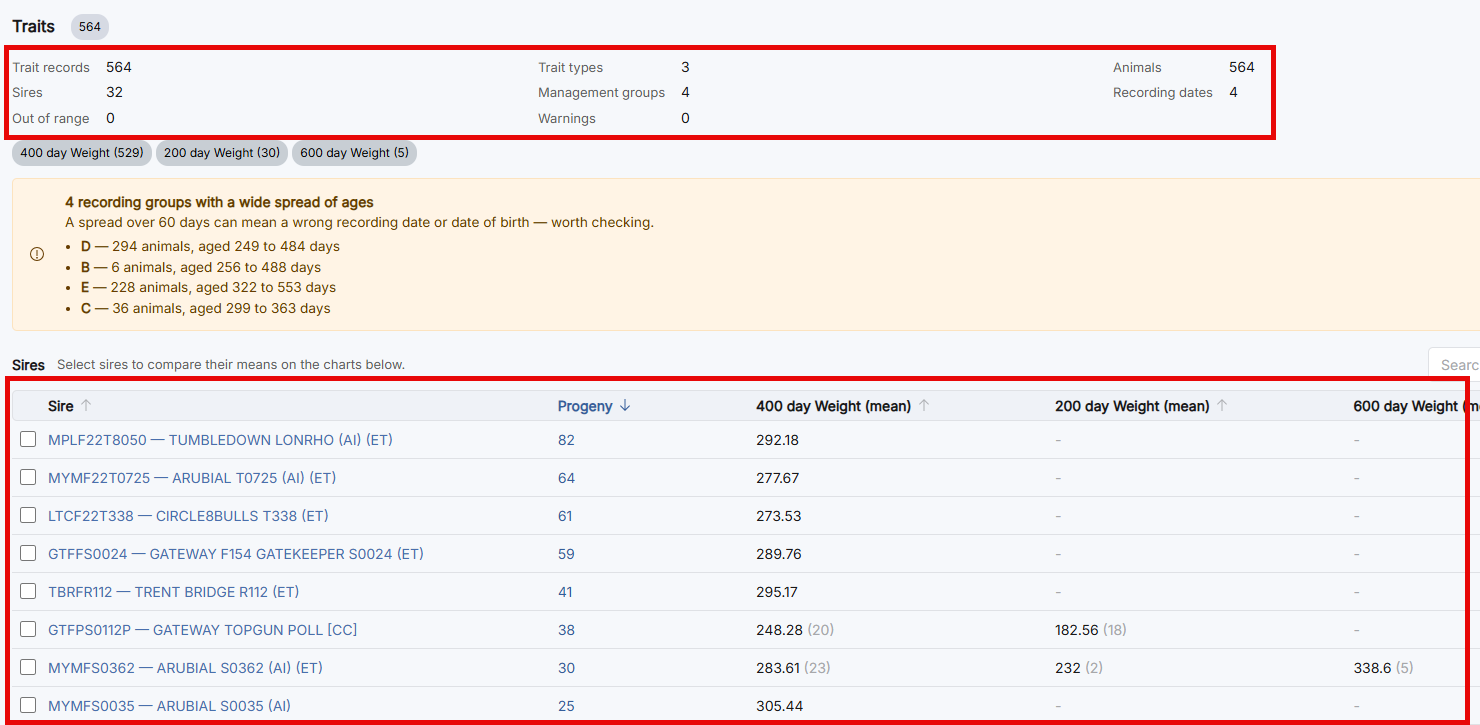
Each import provides a summary of:
- Traits recorded
- Trait types
- Number of animals with recorded traits
- Number of sires impacted by the data submission
- Number of management groups recorded
- Recording dates
- Any out-of-range data identified within the submission
The page also includes a progeny summary for each sire, helping you monitor progeny performance and track changes in Wagyu Breeding Values (WBVs).
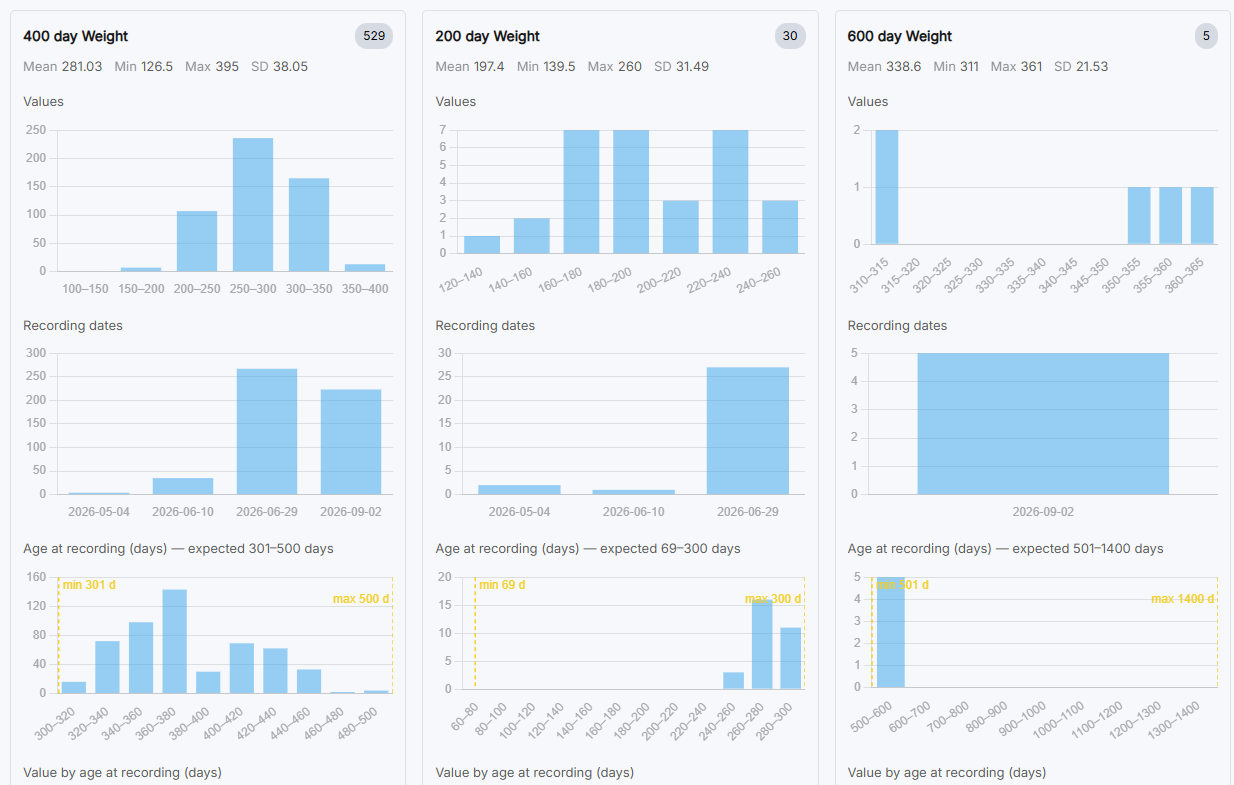
Further down the page, you can review your submitted data through a series of graphs and visual summaries, providing an easy way to identify trends and compare performance across animals and management groups.
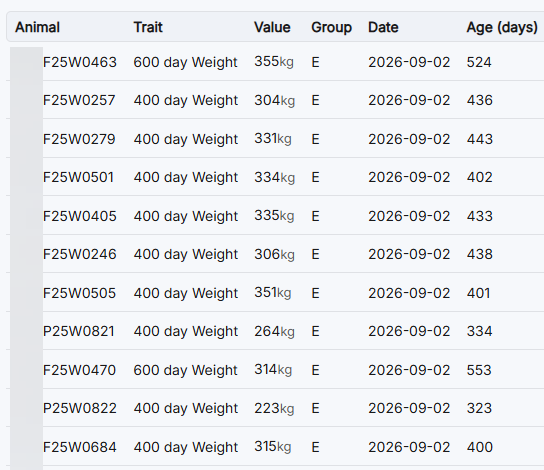
At the bottom of the page, the complete raw data submission is displayed for reference, allowing you to review the individual records included in the import.
Public Database – CSV Downloads
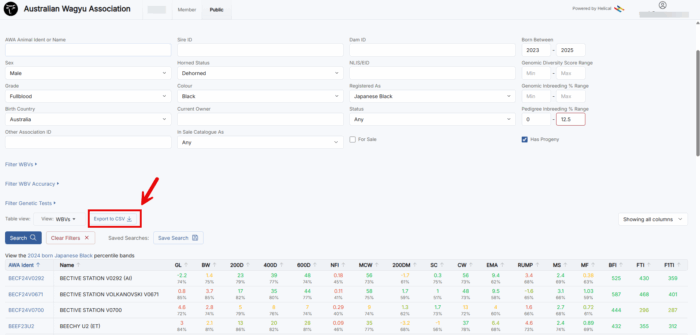
Members signed into the Public Database can now download search results directly to a CSV file, making it easier to analyse and utilise data outside of Helical.
Bulk Pedigree Certificate Downloads
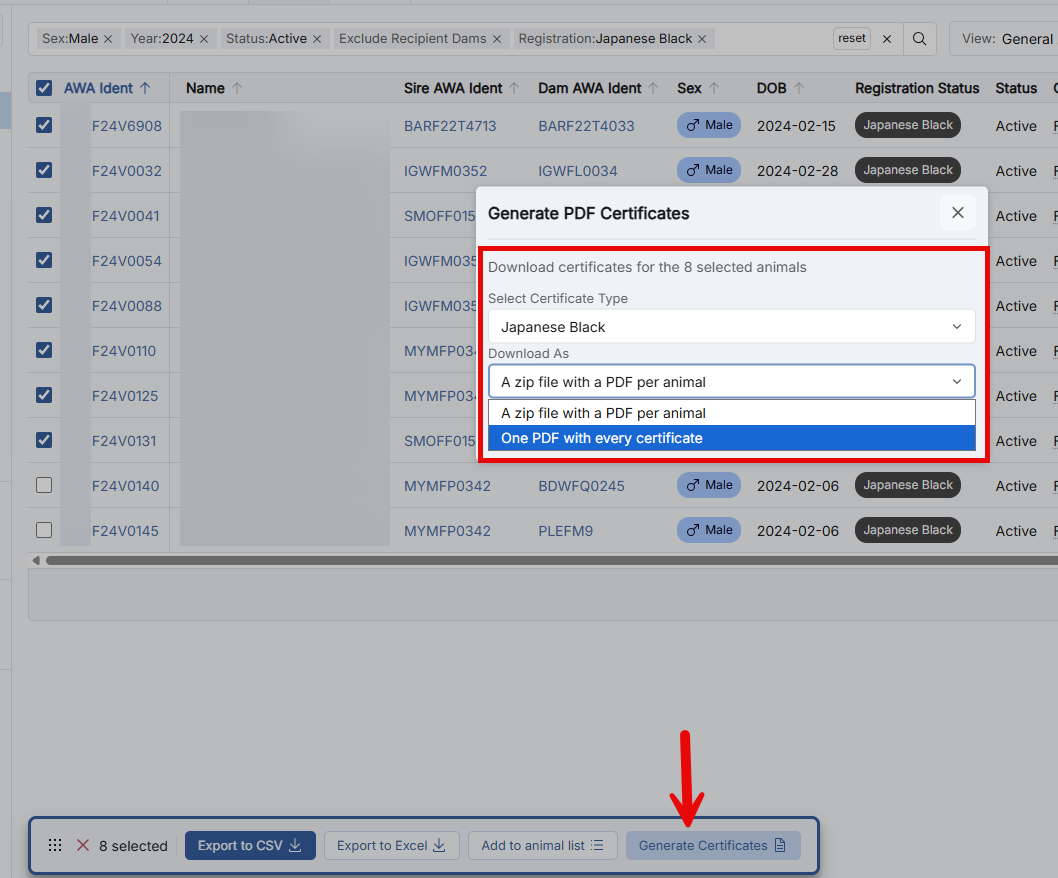
Members can now generate pedigree certificates in bulk from the Animal Search page. Select multiple animals and choose to generate either individual PDF certificates or a single combined PDF.
Note: All animals selected must share the same registration type. Japanese Black and Composite animals cannot be included in the same certificate batch.
Task Notification Emails
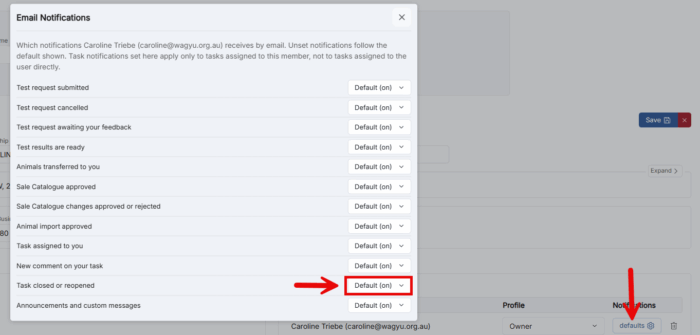
To help members stay informed, email notifications are now available for tasks processed through Helical, including DNA submissions, registrations and performance data imports.
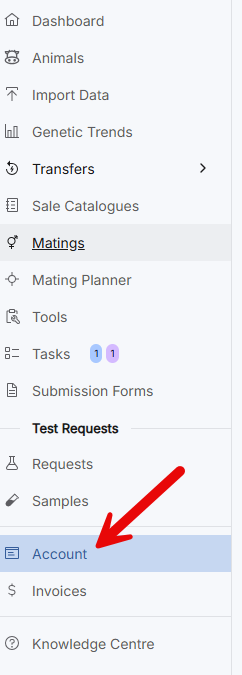
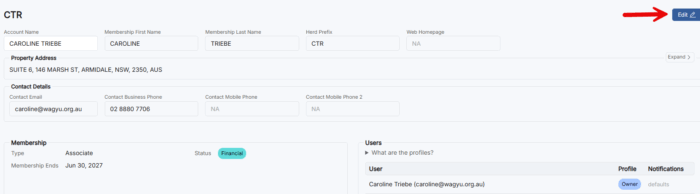
Notification preferences can be managed under Account > Edit, where users can enable or disable email notifications as required.
Parent Verification Feedback
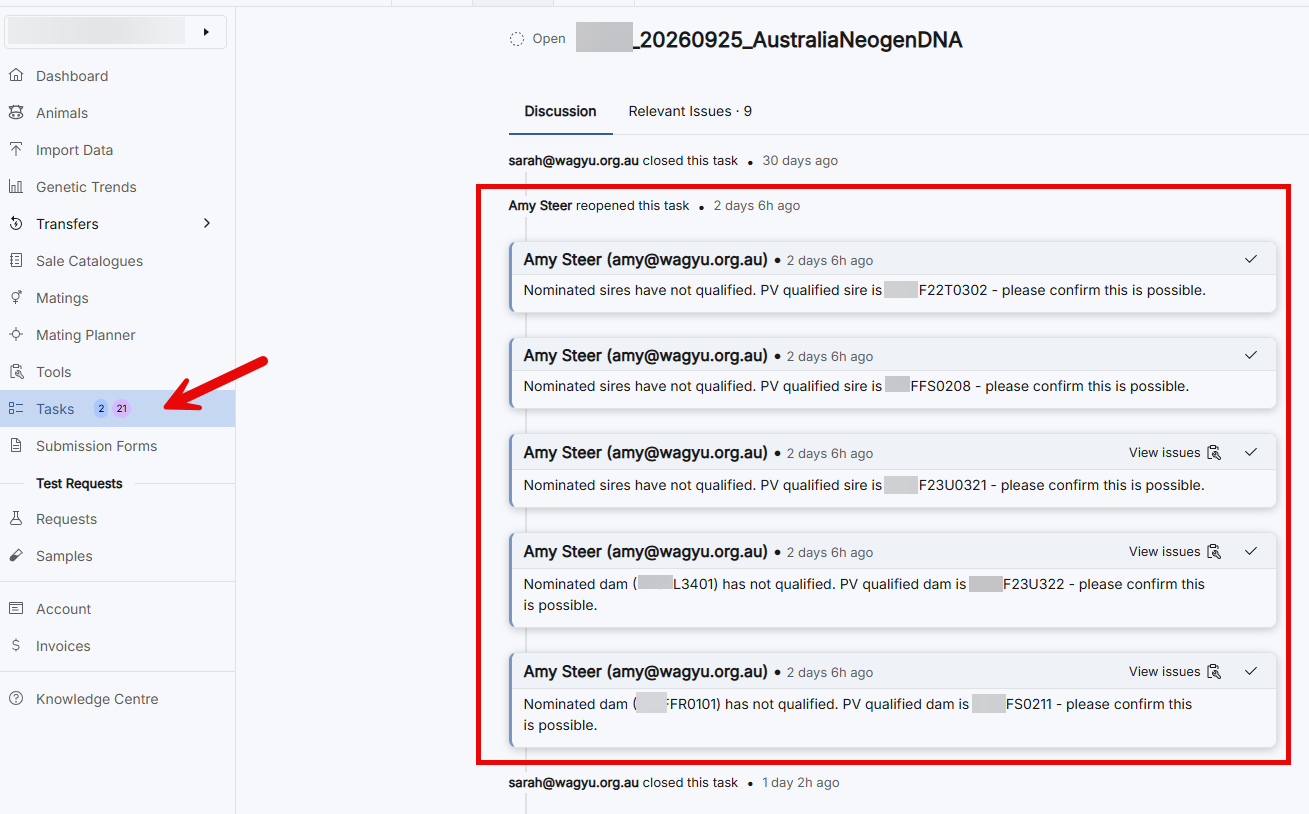
Communication regarding parent verification issues has been improved within Helical. If a DNA parent verification issue is identified, an MSO can now provide feedback directly on the task.
Members receive an email notification when comments are added and can respond within the task, creating a clear communication history and helping resolve issues more efficiently.
Members can access these comments by opening the relevant task within Helical, where the full communication history is recorded.
Animal Transfers and DNA Sample Ownership
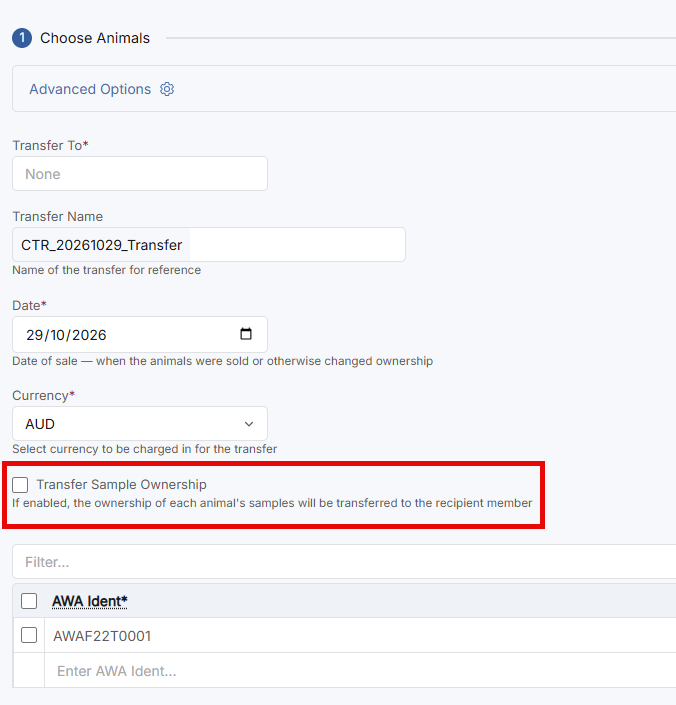
Members can now choose to transfer an animal’s DNA sample to the new owner when submitting an ownership transfer online. To do this, simply select the Transfer DNA Sample tick box during the transfer process.
If you are submitting a paper transfer form, the DNA transfer option must also be selected on the form to authorise the transfer of the DNA sample to the new owner.
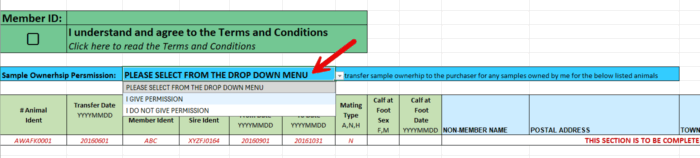
Note: if the member does not select if the sample is transferred or not, it remains with the member who supplied it.
Mating Planner Enhancements
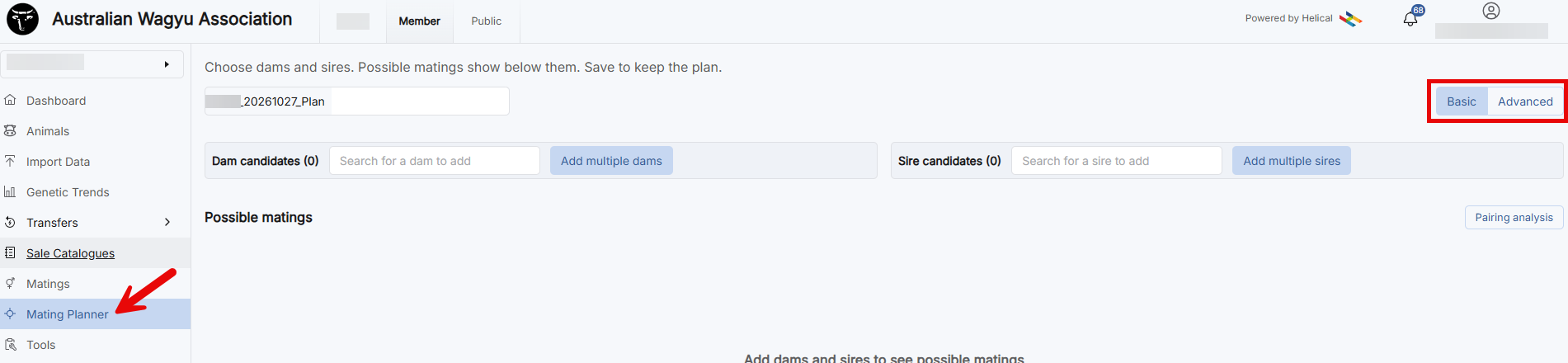
The Mating Planner has been enhanced with an advanced option that allows members to apply pedigree inbreeding limits when evaluating mating combinations, providing greater flexibility when developing breeding strategies.
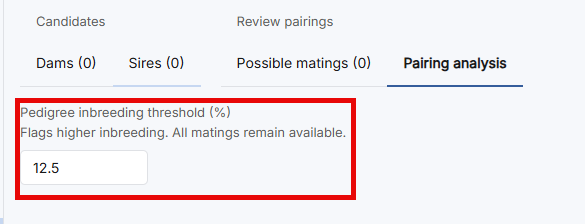
Within the pairing analysis, the inbreeding threshold is displayed in a graphical format as seen in the below image. Now, instead of scrolling through every possible pairing, you can quickly narrow the list to the matings that sit within your inbreeding limit or pull up the ones that exceed it so you can review or avoid them.
The table updates as you change the filter, and the count above it shows how many pairings are showing. You can also filter by Dam and Sire, search by name or ID, and export the shown matings.
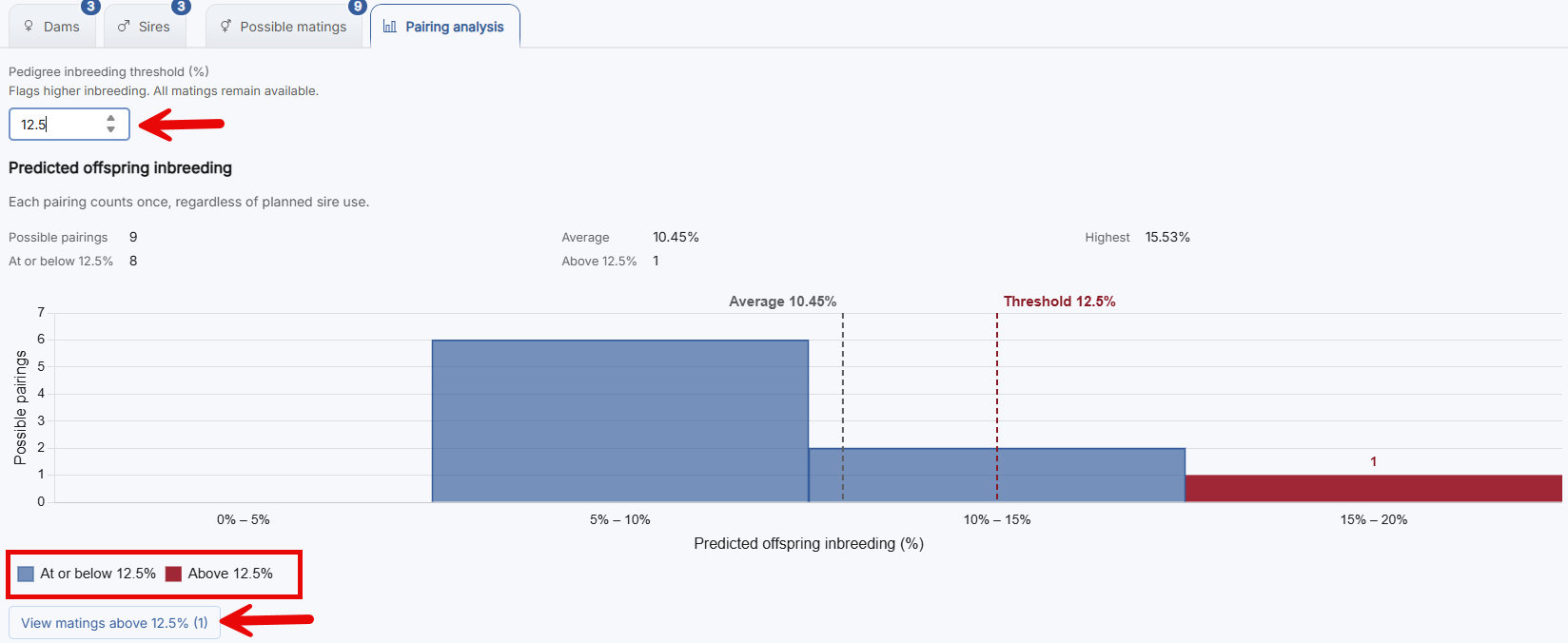
Each bar is a range of predicted inbreeding, and the height shows how many pairings fall into it.
Blue = pairings at or below the inbreeding threshold you set (12.5% in this example),
Red = pairings above the threshold you set.
The dashed lines mark the threshold and the average, so you can see at a glance where most of your pairings sit.
The summary at the top gives you the numbers for total possible pairings, how many are at or below the threshold and how many are above it, The group average and The highest predicted inbreeding of any pairing
The “View matings above 12.5%” button takes you straight to any pairings over the threshold, so you can review them.
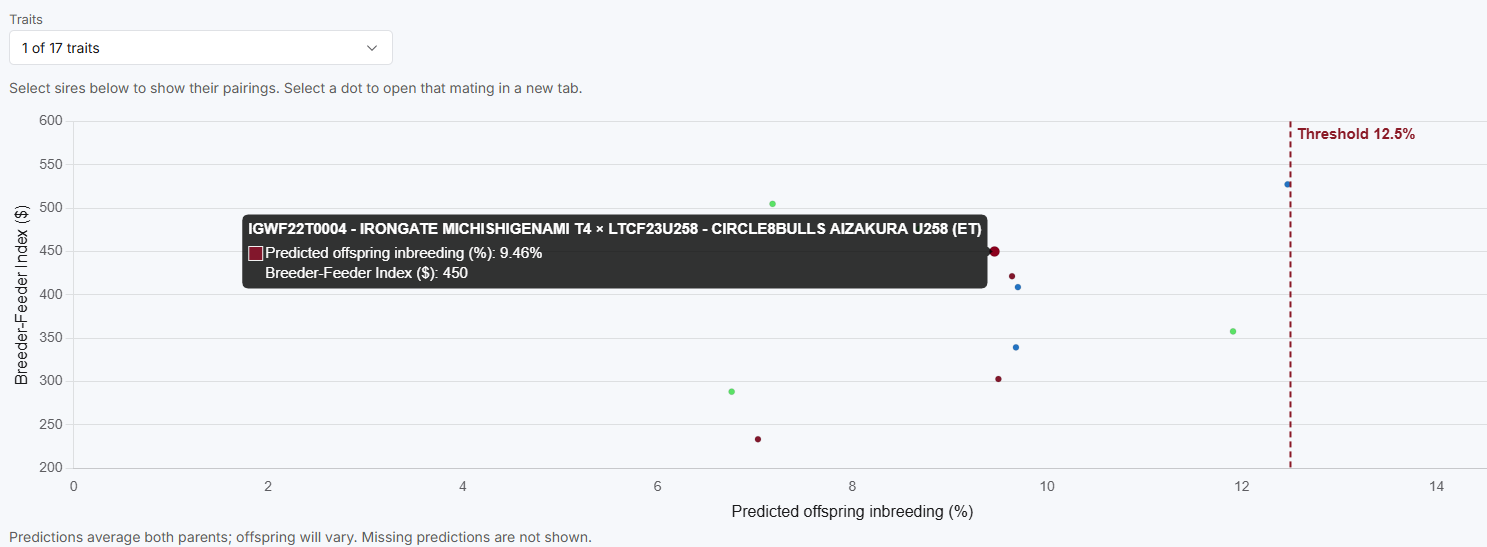
The second graph, under the Pairing analysis tab, plots predicted offspring inbreeding against a WBV trait or index. Use the drop-down to choose which index or trait you would like to view. The example here is using BFI.
The dashed red line is your inbreeding threshold, so pairings to the right of it are above your limit.
Hover over a data point to see the Sire and Dam, predicted inbreeding and the predicted trait or index value.
The table below lists each sire with its minimum, maximum and average, and you can tick sires on or off to compare them.
Matings Module
The Mating Module within Helical enables members to record:
- Known sire and dam matings
- Groups of sires used in a joining
- Groups of dams used in a joining
These recorded matings can be referenced later when identifying mating details, assessing potential mating options for females sold as Pregnancy Tested in Calf (PTIC), or assisting with calf parent verification issues during DNA processing.
Benefits of the Mating Module
Recording matings and sire/dam groups can provide valuable future assistance:
- Recorded mating options are linked to the sire and transfer with the animal if it is sold as PTIC.
- Joined sale lots now carry joining details within the dam’s mating records.
- Sire and dam groups recorded in the Matings Module can be selected as sire or dam lists when submitting DNA test requests.
Using the Module
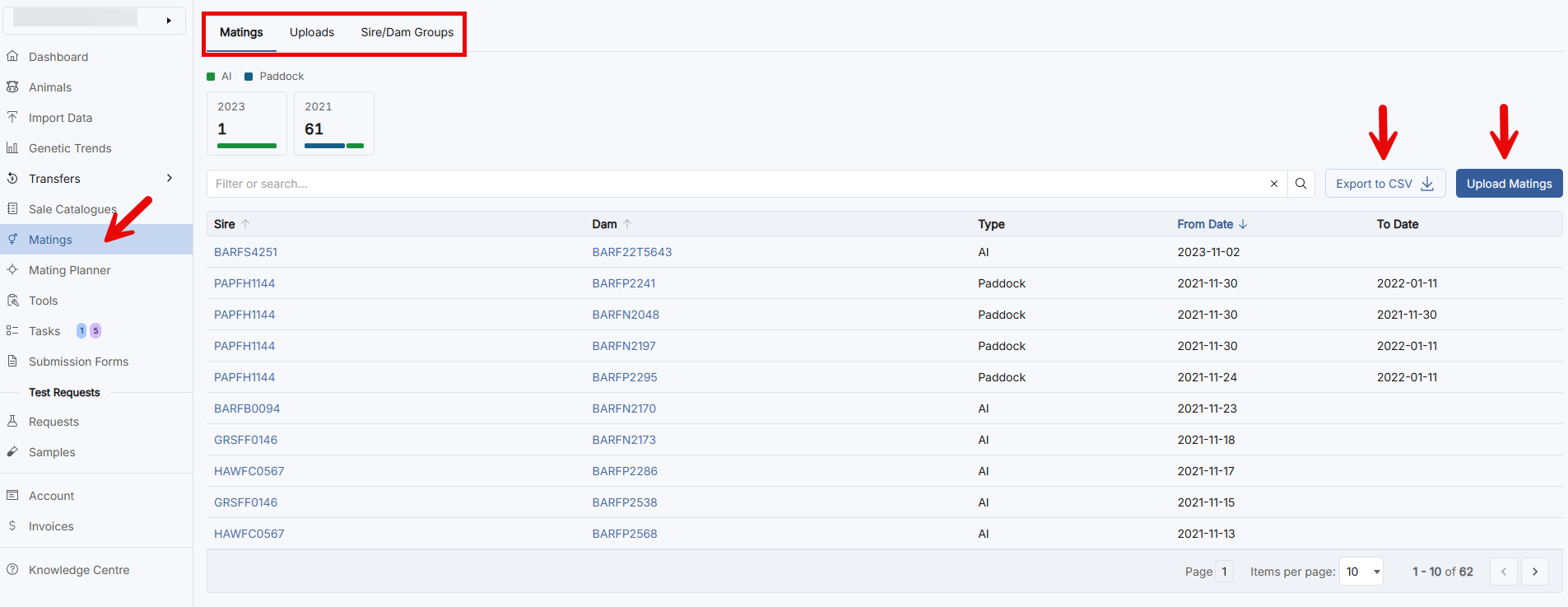
Select Matings from the sidebar to access the Matings Module. From here, you can switch between the following views:
- Matings – View and manage recorded matings.
- Uploads – View mating submission files and track their processing status.
- Sire/Dam Groups – Create, manage, and view sire and dam groups.
Recorded matings can also be exported to a CSV file when required.
Uploading Matings
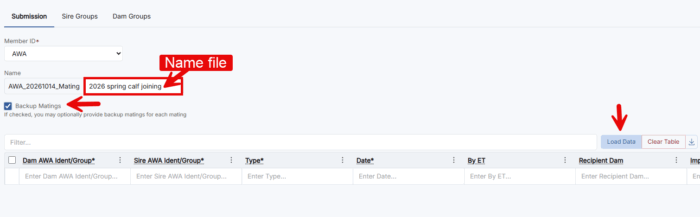
Select the blue Upload Matings button on the right-hand side of the screen. This will open a new page where you can:
- Enter mating information directly into the table, or
- Use Load Data to search the AWA database or upload stock recording software files and CSV files.
Helpful Hints:
Animal Groups – Record the Animal IDs of a group of sires (back up bulls to AI program or known group paddock joining) under a group name.
Back up Matings – Can be recorded by ticking the check box, this allows you to record a sire or group of back up bulls in an AI program, the sire or sire group is run during parent verification if the AI bull doesn’t qualify.